Frequently Asked Question
Tested VMS, NVR, XVR and DVR platforms compatible with ITVDesk
Last Updated 3 months ago
A common ITVDesk integration starts with a desktop or workstation screen. In ITVDesk, create a new virtual camera profile, select a media source such as Computer Screen Live / Desktop Capture, test the stream, and then add it to a VMS, NVR, XVR or DVR platform as an ONVIF camera or direct RTSP/RTSPS/SRT stream.
This is useful when you need to record operator screens, POS workstations, control-room desktops, applications, dashboards or other computer activity inside the same VMS/NVR system used for physical cameras.
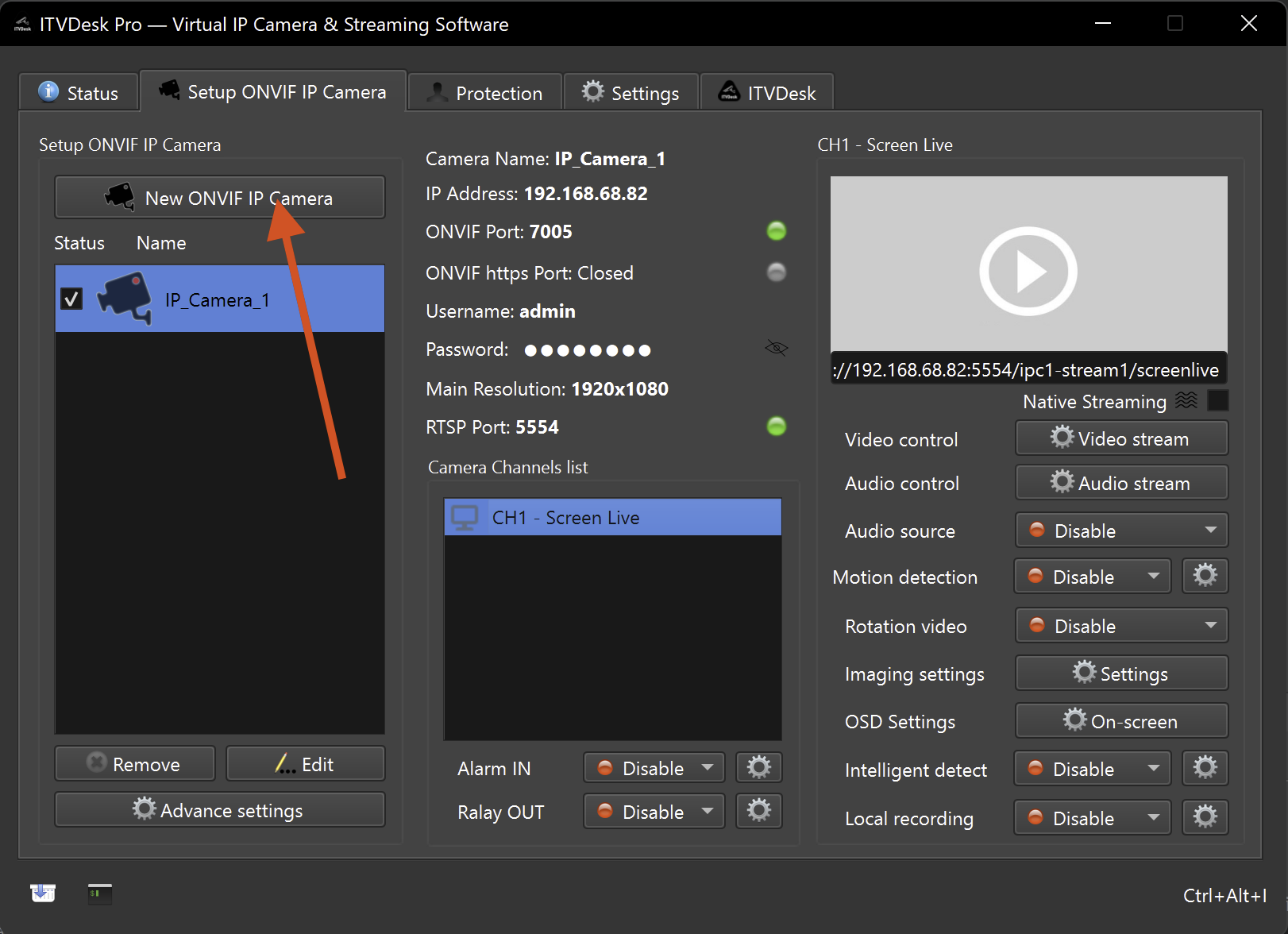
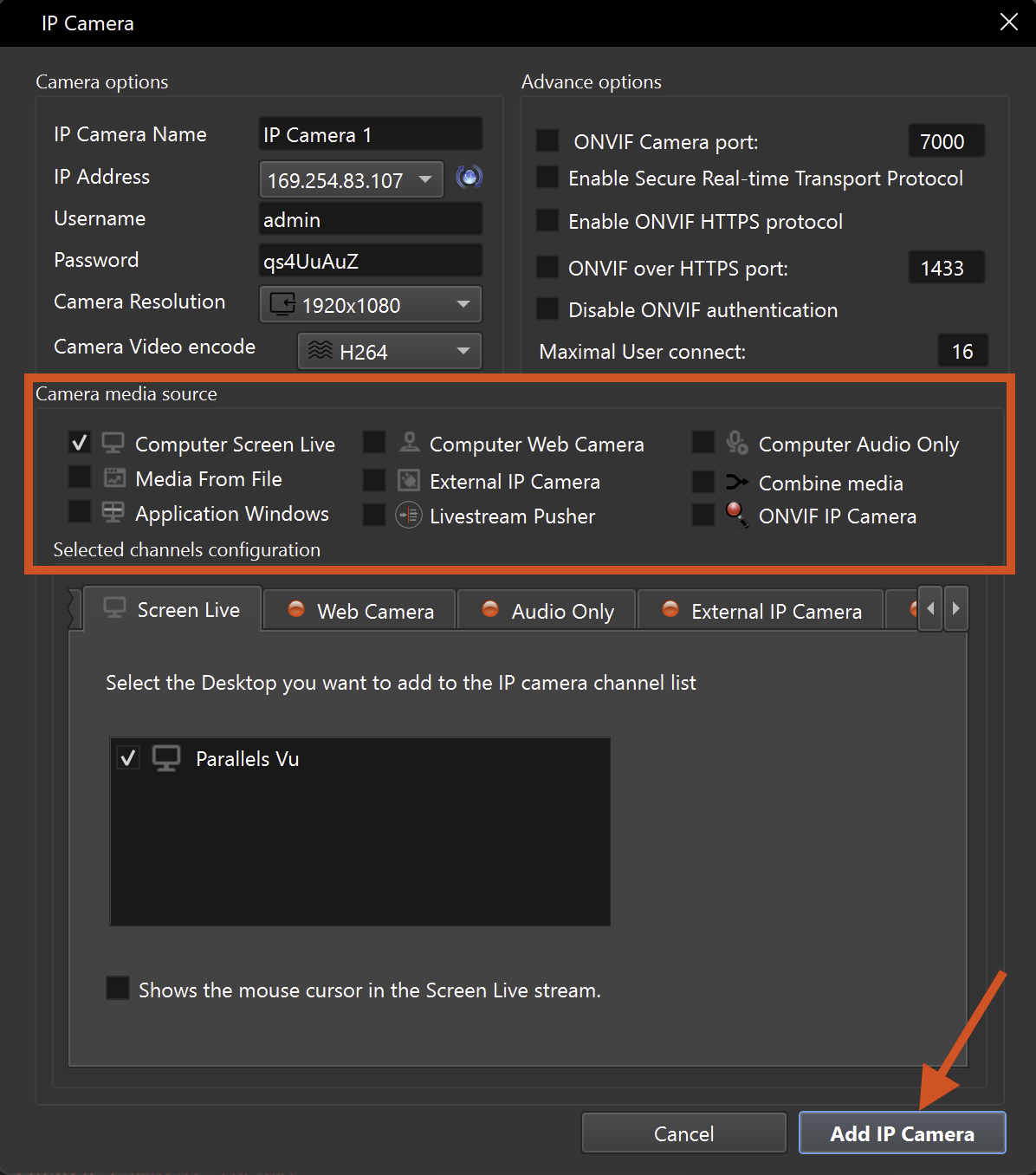
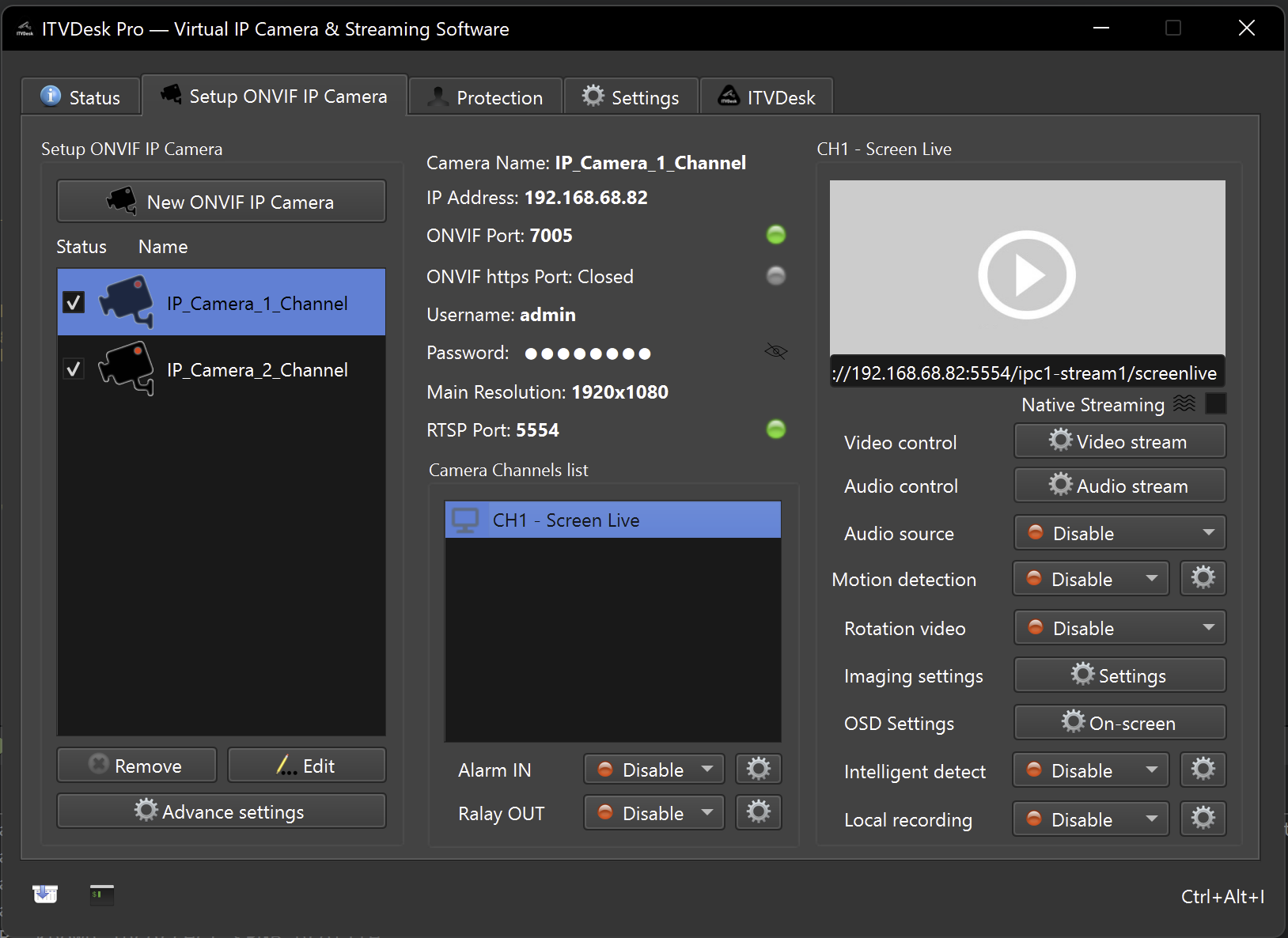
Integration model
- ITVDesk source -> ONVIF virtual camera -> VMS/NVR/XVR/DVR.
- The recorder treats ITVDesk like a network camera, so live view, recording and playback are handled by the VMS/NVR.
- Use ONVIF where possible; use direct RTSP/RTSPS/SRT when the recorder is configured for stream URL input.
Tested or commonly used platforms
- Milestone XProtect VMS
- Hikvision NVR / DVR
- Dahua NVR / XVR
- Blue Iris VMS
- IPConfigure Orchid Core VMS
- Novus NMS VMS
- Herospeed XVR / NVR
- Other ONVIF-compatible systems with manual camera add support
Before adding ITVDesk to a recorder
- ITVDesk is installed, licensed or running in trial mode, and at least one virtual camera/source is configured.
- ONVIF service is enabled in ITVDesk and the ONVIF port is reachable from the VMS/NVR network.
- RTSP/RTSPS/SRT streaming is enabled as required by the recorder or VMS profile.
- Firewall rules allow ITVDesk ONVIF, RTSP/RTSPS and HTTPS ports.
- Use manual add if automatic discovery is not available in the recorder.
After adding ITVDesk
- Confirm the ITVDesk virtual camera appears online in the VMS/NVR device list.
- Open live view and verify video, resolution, frame rate and codec.
- Start a short recording and confirm playback/search works as expected.
- Test events, audio or PTZ only if your VMS/NVR model supports those ONVIF features.
- If discovery fails, add ITVDesk manually by IP address, ONVIF port, username and password.
Related documentation: Adding the First Video Source | Desktop Capture | Preview & Test | Network Camera Test | ONVIF over HTTPS