Frequently Asked Question
Configure alarm input events / panic button
Last Updated 3 months ago
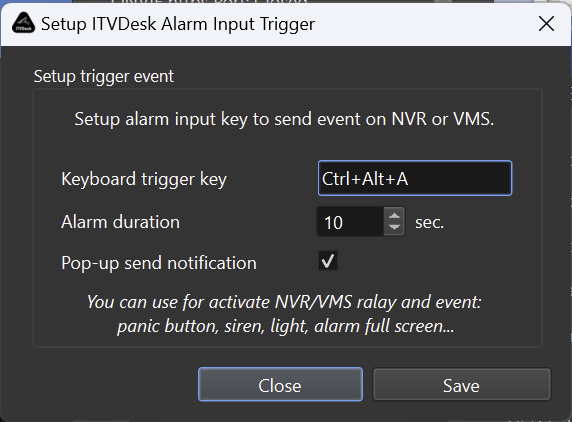
Alarm input events allow ITVDesk to send a meaningful event to the VMS/NVR, for example when an operator presses a hotkey, a panic button is used, or a workflow needs to mark an incident.
Typical use cases
- Operator panic button.
- Manual event marker for later investigation.
- Trigger recording or notification in the VMS/NVR.
- Signal a business workflow event together with the video stream.
Setup checklist
- Enable Alarm IN in ITVDesk.
- Choose the trigger method, such as keyboard action or configured event.
- Refresh or re-add the ITVDesk device in the VMS/NVR if needed.
- Create a VMS/NVR rule that reacts to the ONVIF event.
Testing
- Use the ITVDesk test option first.
- Then test the recorder rule and confirm that the event is logged and searchable.
Related documentation: