Frequently Asked Question
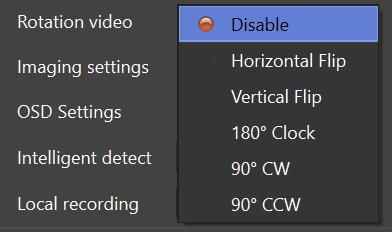
Configure video rotation
Last Updated 3 months ago
Video rotation is useful when the source orientation does not match the VMS/NVR layout, such as portrait monitors, rotated displays, kiosks or special camera positions.
Typical use cases
- Portrait display captured as a virtual IP camera.
- Rotated webcam or capture source.
- Control-room or kiosk displays mounted vertically.
- Industrial or monitoring screens that require fixed orientation in the VMS/NVR.
Setup checklist
- Set rotation inside ITVDesk.
- Save the virtual camera profile.
- Verify live view and recording layout in the VMS/NVR.
- Check performance if rotation is used with high-resolution streams.
Best practice
- Use recorder-side rotation only if ITVDesk-side rotation is not suitable for the deployment.
Related documentation: