Frequently Asked Question
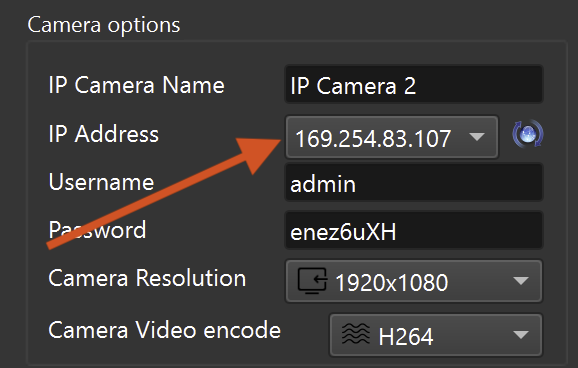
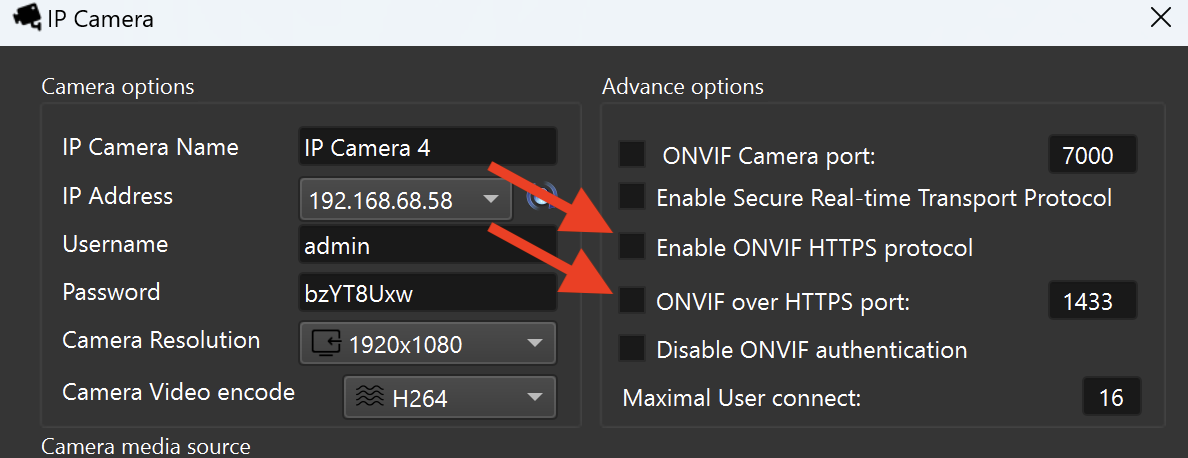
ITVDesk exposes network services so a VMS/NVR can discover the virtual camera and receive video streams. Port configuration must match your network policy, firewall rules and recorder settings.
When to change ports
- Another application already uses the default port.
- Multiple ITVDesk services or virtual cameras need separate service bindings.
- The recorder, firewall or customer network requires specific ports.
- You are enabling HTTPS, RTSPS, RTSP over HTTP or secure profiles.
Recommended order
- Change the port in ITVDesk.
- Allow the port in Windows, Linux or macOS firewall.
- Update the VMS/NVR camera configuration.
- Run ITVDesk Network Camera Test before production use.
Firewall notes
ITVDesk Windows firewall rule scope: the firewall rule created for ITVDesk is bound to ITVDesk.exe. This means the rule is intended to allow ITVDesk network services only and does not open the same ports for unrelated applications.
The default ITVDesk firewall coverage is designed for the common ITVDesk service ranges:
- ONVIF / Web management TCP: 7000-7099
- RTSP TCP: 554, with fallback range 555-585
- RTSPS TCP: 322
- RTSP-over-HTTP TCP: 8080
- ONVIF discovery UDP: 3702
- RTP / RTCP UDP media: 22000-22127
If you use custom ports outside the default ITVDesk range, or if firewall rules are centrally managed by domain policy, allow the selected inbound TCP/UDP ports for the ITVDesk computer and keep the rule scoped to ITVDesk where possible.
Troubleshooting after changing ports
- Make sure the selected port is not already used by another application or service.
- If multiple ITVDesk virtual cameras are running, make sure two services are not configured to use the same static port.
- Choose another port inside the recommended ITVDesk range when possible.
- Check that Windows Firewall, domain firewall policy, antivirus firewall, or router rules allow the selected ITVDesk port.
- If ITVDesk asks to register or allow the service port, confirm the prompt and provide administrator approval when Windows requires it.
- After changing the port, update the VMS/NVR camera configuration because recorders usually keep the old port until it is changed manually.
- If ONVIF discovery does not work, verify UDP 3702 and the selected ONVIF/Web management port.
- If live video does not work, verify RTSP/RTSPS and the configured RTP/RTCP media transport range.
Common mistakes
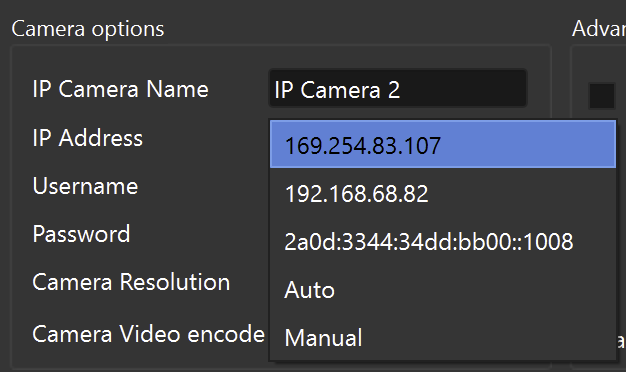
- Using the wrong network adapter on a multi-NIC machine.
- Forgetting to update the recorder after changing ITVDesk ports.
- Blocking ONVIF discovery or RTSP transport in the local firewall.
Related documentation: