Frequently Asked Question
Configure OSD, subtitles, timestamp, labels, and overlay text
Last Updated 3 months ago
OSD and overlay text help identify the stream inside a VMS/NVR recording. This is useful for workstation names, operator labels, timestamps, POS context and audit workflows.
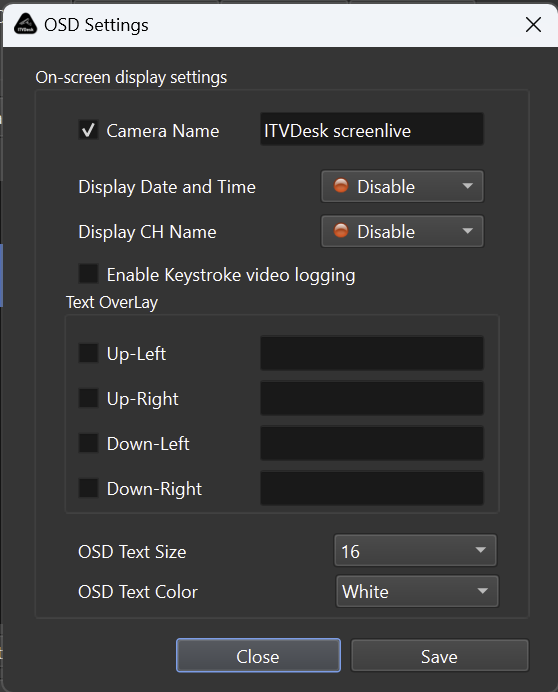
Common overlay items
- Computer or workstation name.
- Virtual camera/channel label.
- Date and time.
- Operator, branch, POS or customer-site context.
- Custom text or subtitle information where supported.
Design recommendation
- Keep overlays readable but not too large.
- Place text where it does not cover important screen or video details.
- Use consistent labels when multiple ITVDesk cameras are recorded in the same VMS/NVR.
Audit use
- OSD is especially useful when reviewing incidents, comparing multiple screens, or proving which workstation generated the recorded stream.
Related documentation: