Frequently Asked Question
RTSP / HTTP bind error: address already in use or port conflict
Last Updated 3 months ago
This error means ITVDesk could not bind one of its network services because the configured port is already used by another process or another ITVDesk instance.
Typical log messages include rtsp_net_listen_init::bind errno=48, bind tcp socket fail, Address already in use, or rtsp_start failed.
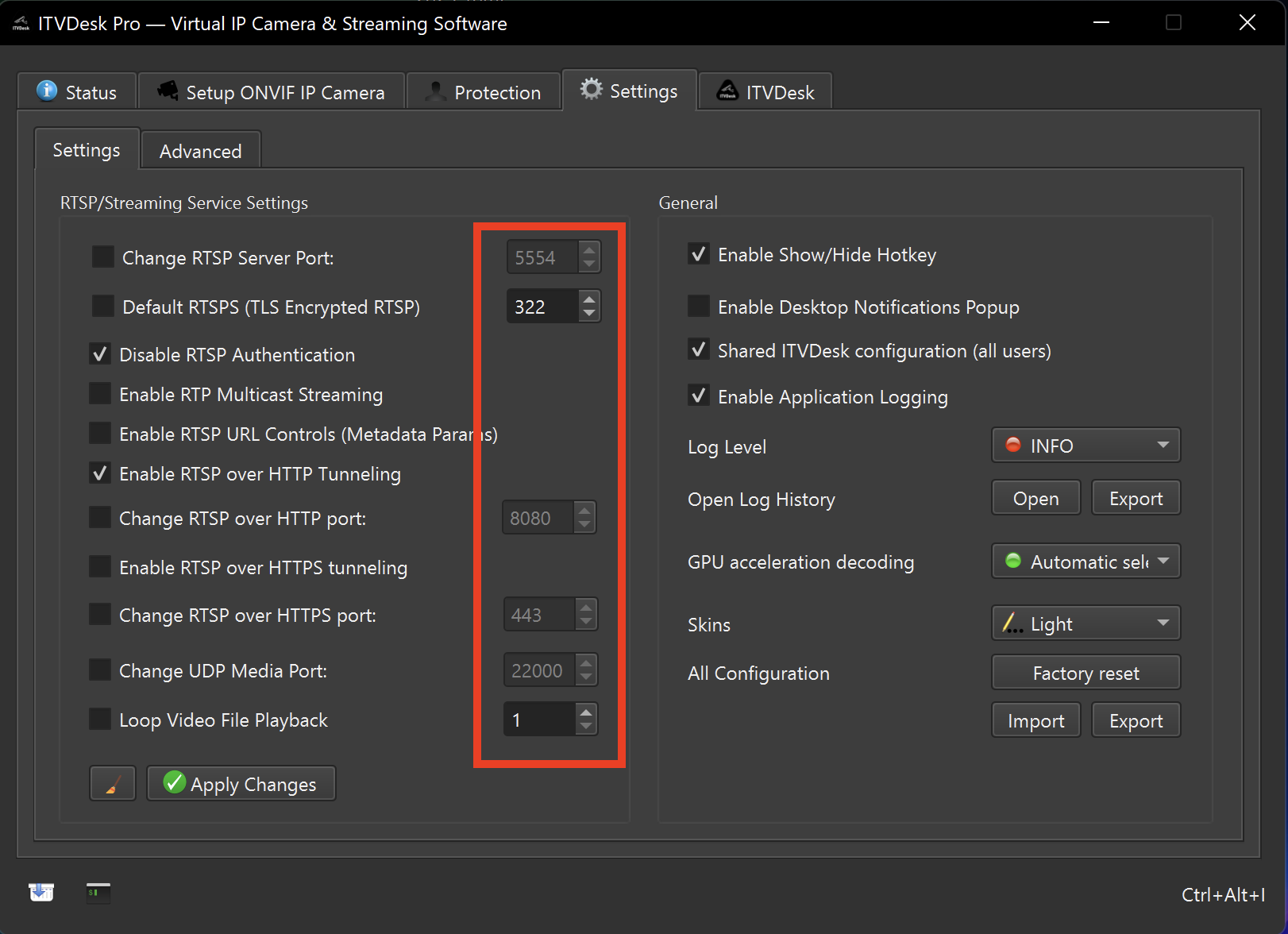
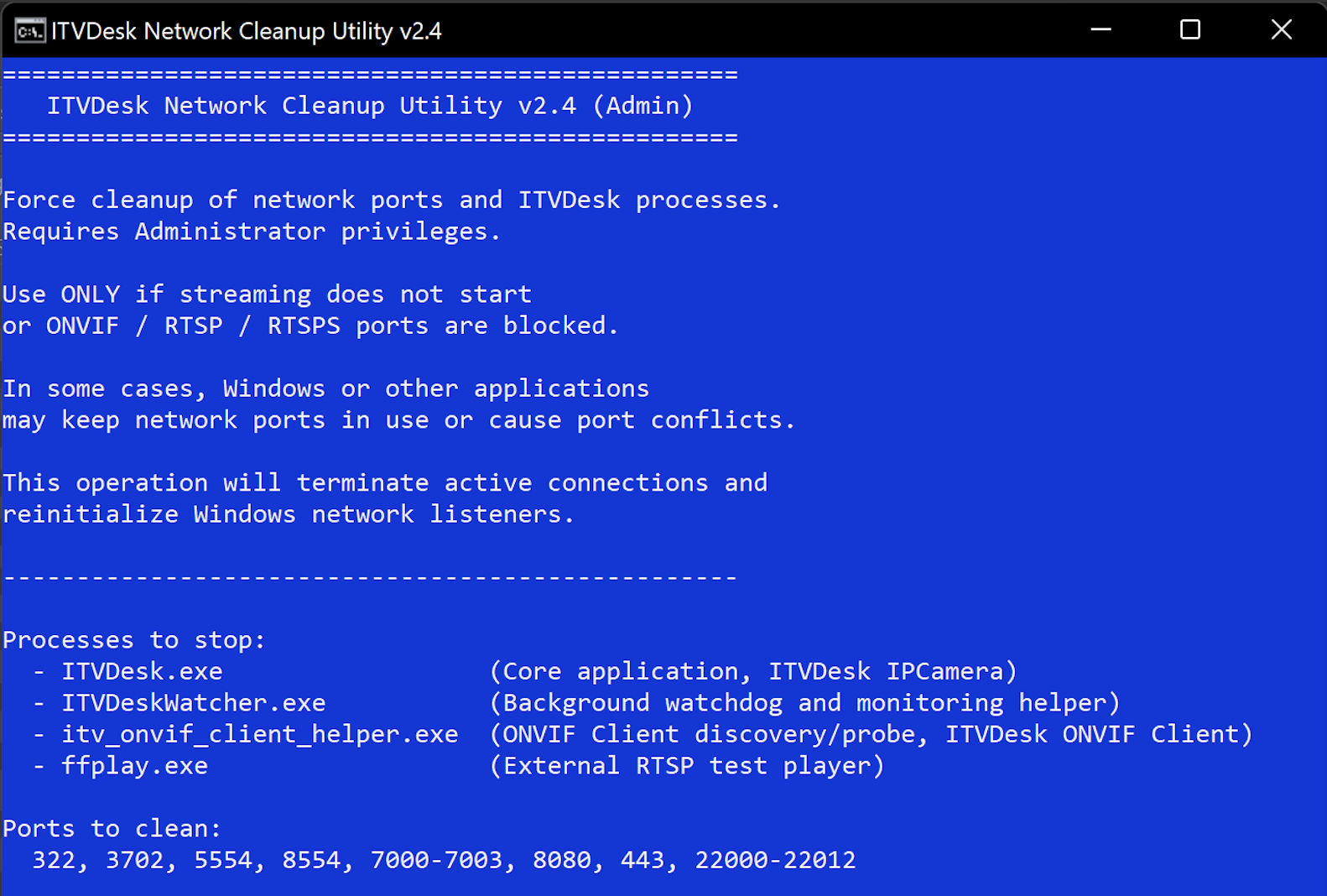
How to fix
- Open ITVDesk settings and change the conflicting RTSP, HTTP, ONVIF, RTSPS or HTTPS port.
- Save the configuration and restart the ITVDesk service/application.
- If another ITVDesk instance is running, close the duplicate instance first.
- If the port remains locked, restart the computer or use the ITVDesk network cleanup utility.
- After changing ports, update the VMS/NVR camera configuration to use the new port.
Common causes
- Another RTSP server is already using the same port.
- A previous ITVDesk service instance did not stop cleanly.
- Another NVR/VMS utility, camera tool, proxy or test server is bound to the same port.
- The firewall/security suite is blocking or reserving the port.
Useful checks
- Windows: use Resource Monitor or netstat to identify the process using the port.
- Linux/macOS: use lsof or ss/netstat to identify the process.
- Always confirm the final ports from ITVDesk settings before changing VMS/NVR configuration.
Windows:
netstat -ano | findstr :5554

Linux/macOS:
lsof -i :5554
Related documentation: Installation and Port Tools | Advanced Settings | RTSP over HTTP